PhotoPromptly
Chhath Puja Wishes Post for Business with Logo (Free)
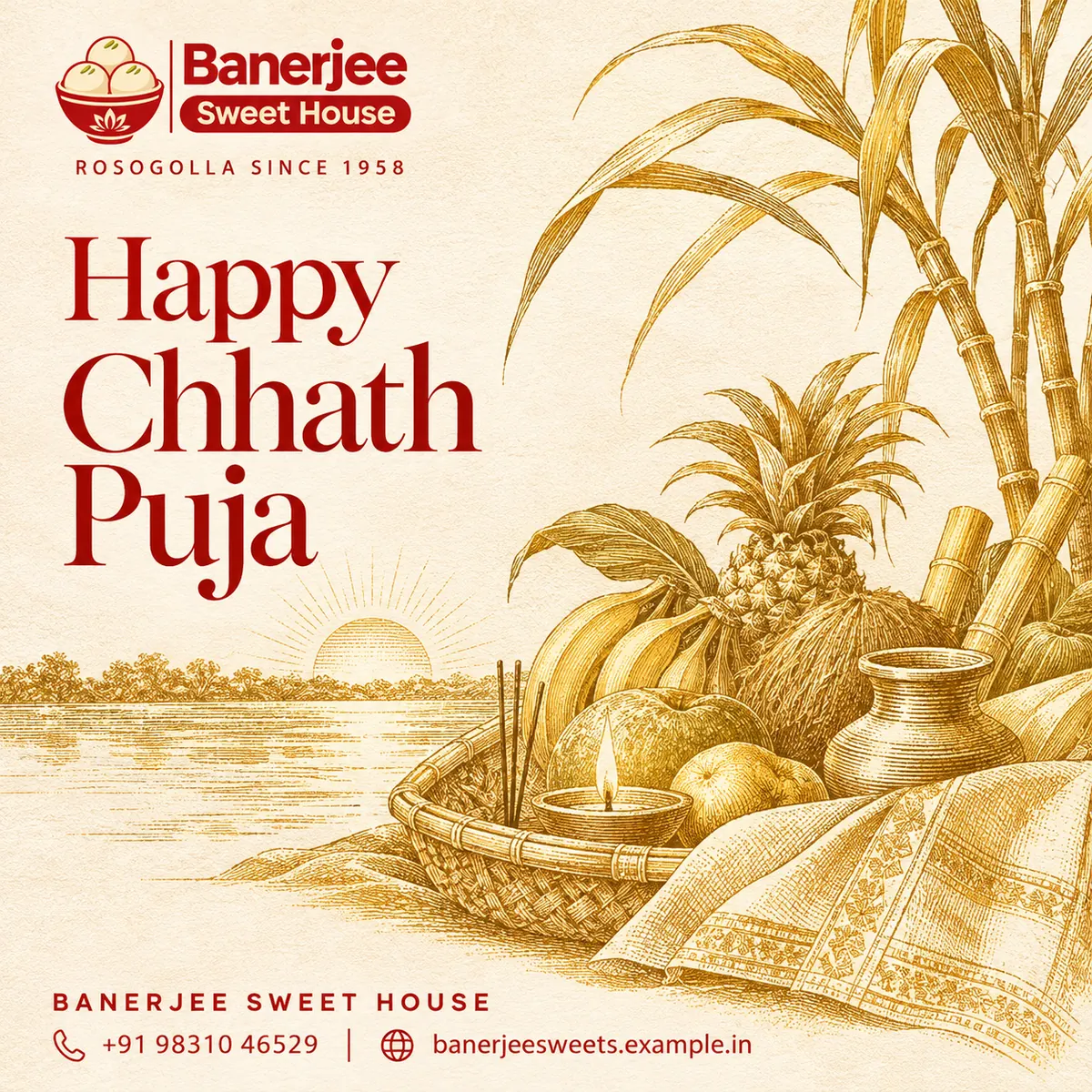
Copy-paste prompt for a chhath puja wishes post that carries your company logo. The hero is a bamboo soop of thekua, sugarcane and a diya at a river ghat at sunrise.
Choose a design
 Sample logo used for these examples. Upload your own.
Example made by AI from this prompt, using a placeholder logo and demo details. Results vary with your photo and the tool. How we make and check examples
How to use it
- Fill in the form above, only the boxes this prompt uses, then copy the prompt.
- Open ChatGPT or Gemini, attach your logo file (PNG with a clear background works best) and paste the prompt in the same message.
- Zoom in and check the Chhath Puja greeting in Hindi or Bhojpuri, your phone number and website, and confirm the logo is unchanged.
- Post it on the evening of Sandhya Arghya and again at sunrise on the last day.
AI tools may use uploads to improve their services; check the tool's privacy settings. Use only photos you own or have consent for, and do not upload photos of children.
About this prompt
Colours used if you give none
All 3 versions use sunrise orange, river blue-grey and one turmeric accent. Type your brand colours in the form to replace them.
Size and shape
The prompt asks for 1:1, which is square, for Instagram and Facebook feed posts, WhatsApp display pictures and profile photos.
How the example image was made
We ran the Heritage Editorial version of this prompt in an AI image tool. The “before” image is a placeholder logo, standing in for the logo you upload. The demo details were the business name “Banerjee Sweet House” and a 1080x1080 square size; your version uses your own name, logo and details. Both images are AI-generated and show the kind of result to expect, not a guarantee.
When to use it: Chhath Puja
Four-day sun festival, 13 to 16 November 2026; the main Sandhya Arghya sunset offering is on 15 November and Usha Arghya at sunrise on 16 November. Riverside ghat portraits.
Date: 2026-11-15 · Marked in: IN
The greeting in 4 languages
Pick a language in the form above and the matching greeting is written into the prompt, spelled exactly, because AI tools draw non-English scripts more reliably when given the words.
| Language | Greeting |
|---|---|
| English | Happy Chhath Puja |
| Hinglish | Chhath Puja ki Shubhkamnayein |
| Hindi | छठ पूजा की शुभकामनाएँ |
| Bengali | ছট পূজার শুভেচ্ছা |
Problems and questions
It shows faces or a crowd at the ghat.
Ask for "no people, only the soop basket at the water's edge". It keeps the post respectful and uncluttered.
Some words on the image are misspelled.
Shorten the text, put the exact words in quotes and add "spell every word exactly as written". If it still fails, remove the image text and add it in Canva.
My Hindi, Gujarati, Marathi or Tamil greeting looks wrong.
AI image tools do not always draw non-English scripts correctly, so zoom in and check every letter and matra. Type the exact words in the Greeting text box, then ask "redo only the greeting, keep everything else". If it is still wrong, switch to English or Hinglish, or ask for the post with no greeting text and add the words yourself with a text overlay in Canva using a font such as Noto Sans Devanagari.
The AI changed or redrew my logo.
Repeat "use the uploaded logo exactly as provided, do not redraw it" and upload a larger, sharper PNG. Still wrong? Ask for the empty logo area described at the end of the prompt and paste your real logo into it with Canva.
The design looks cluttered and the text is hard to read.
Choose the Quiet Luxury look, or add "fewer elements, more empty space, smaller contact text".
Make it yours
Swap one line of the prompt to change the look:
Wrong or a rights issue? Report or request removal.
Related prompts