90s AI Photo Prompts: Grunge, R&B, Film Camera and Camcorder Looks
The 90s photo trend takes a modern selfie and makes it look like it came out of a shoebox of prints from the 1990s. The versions here include the moody R&B portrait in a satin shirt, the grunge flannel shot, a camcorder still from a family wedding, and couples posing like a CD cover.
How to use & jump to a prompt (6)
- 1. Open your AI photo app
- 2. Upload a clear photo of yourself
- 3. Paste a prompt and generate
90s prompts to copy
Upload your own photo in the AI app first, then paste a prompt. Results differ on every try, so generate two or three versions. Want a different outfit or background? Use the prompt builder below.
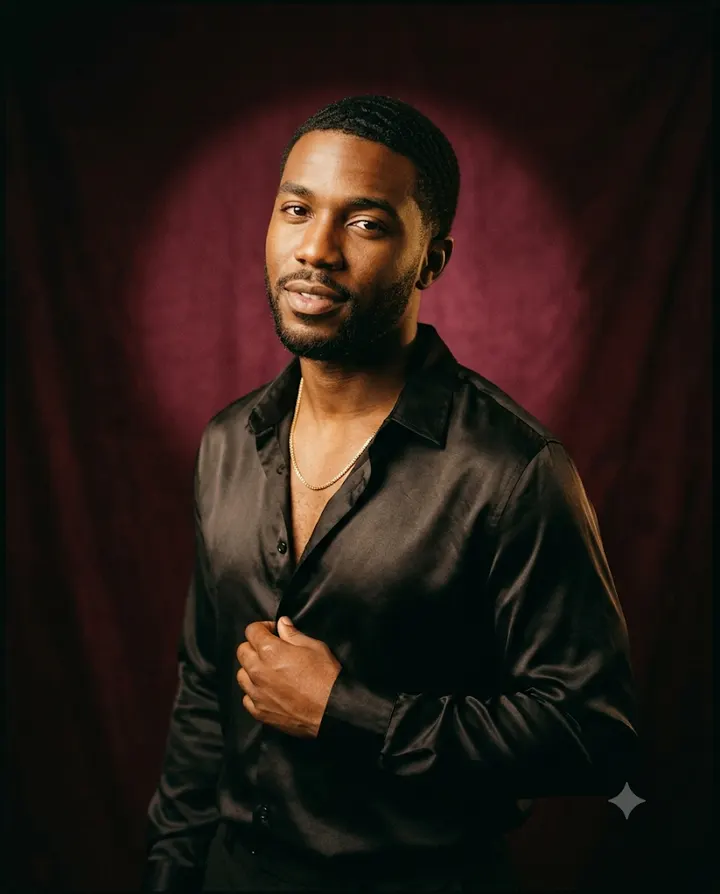
1. 90s R&B studio portrait
Edit my uploaded photo. Keep the person's exact same face, facial features, skin tone, age and body shape; do not beautify or change them. Make a 1990s R&B album-style studio portrait of them in a dark satin shirt and a thin chain, against a deep burgundy backdrop. They stand in the centre at a slight angle, hands out of frame. Light: a soft spotlight behind the head and low, dark front light, slightly soft focus and film grain, like a print from 1997. Match the light on the face and body to this scene so the person looks photographed there, not pasted in. Chest-up framing, eye-level camera. Aspect ratio 4:5.
Why it works: Satin, a deep backdrop and a rim of light behind the head are the visual signs of a 90s R&B portrait. Asking for no smoothing protects the face, because moody styles tempt the model to airbrush heavily.
Make it yours: Swap burgundy for a cobalt blue backdrop, or add a matching partner in satin for a couple album cover.
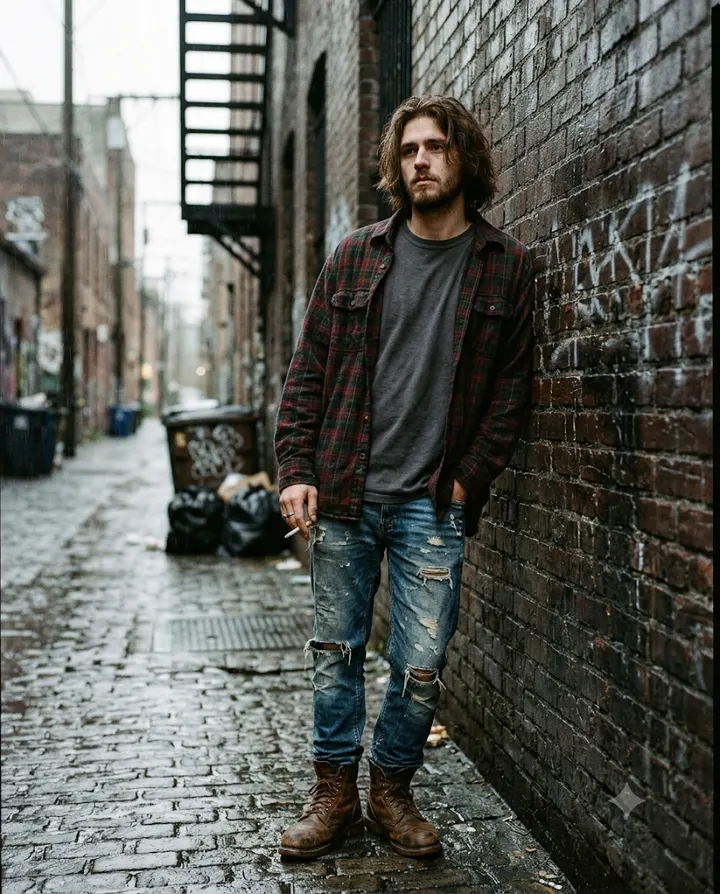
2. Grunge flannel shot
Edit my uploaded photo. Keep the person's exact same face, facial features, skin tone, age and body shape; do not beautify or change them. Make a 1990s grunge photo of them in an oversized plaid flannel shirt over a plain T-shirt, ripped jeans and worn boots, in a rainy Seattle alley. They lean with their back against a brick wall, arms crossed, centred in the frame. No logos on the clothes. Light: flat grey overcast light, muted greens and browns, heavy film grain. Match the light on the face and body to this scene so the person looks photographed there, not pasted in. Full-length framing, slightly low angle. Aspect ratio 4:5.
Why it works: Overcast light and muted colours define grunge more than the outfit alone. A plain T-shirt with no band print avoids drawing a real band's name or logo.
Make it yours: Move it to a Manchester street with red-brick terraces, or a Jakarta rooftop on a grey monsoon afternoon.
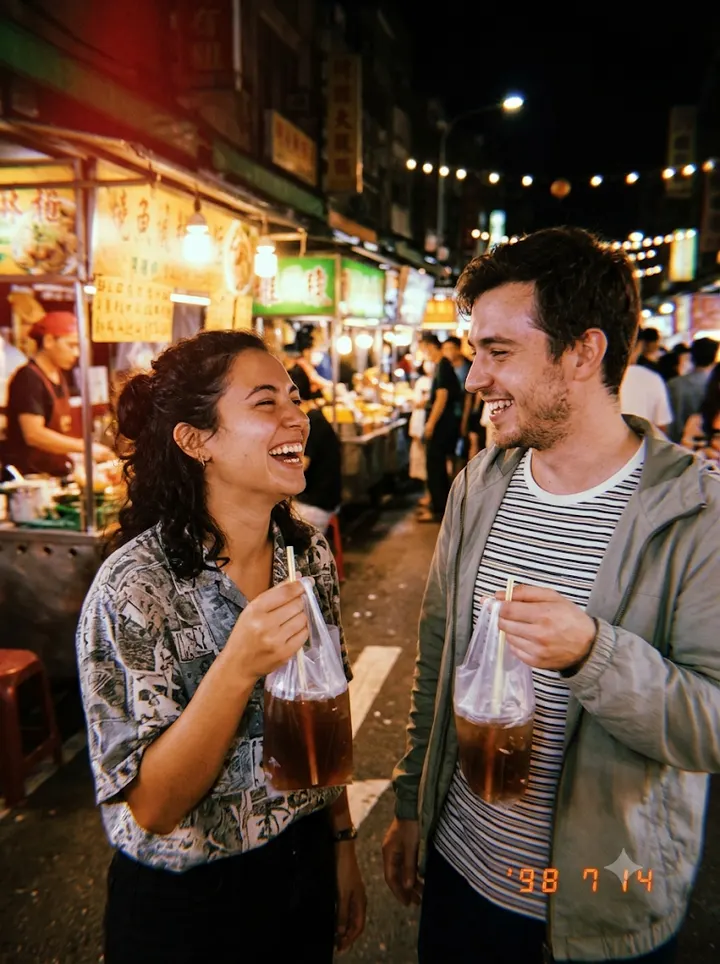
3. Point-and-shoot with date stamp
Edit my uploaded photo of the group. Keep the same number of people with their exact faces, facial features, skin tones, ages, hairstyles and real heights; do not beautify or change them. Make a 1990s point-and-shoot film snapshot of them laughing together at a night market in Kuala Lumpur, with food stalls glowing behind. Each person holds a drink in a plastic bag by its knotted top in one hand, the other hand free at their side. Add an orange digital date stamp in the bottom right corner reading 98 7 14. Light: harsh direct camera flash, warm colour, heavy grain. Match the light on the faces and bodies to this scene so the people look photographed there, not pasted in. Waist-up framing, eye-level camera. Aspect ratio 3:4.
Why it works: The orange date stamp is the detail people remember most from 90s compact cameras, and short numbers are easier for the app to draw than words. A night market with flash gives the bright faces and glowing stalls of a real holiday snap.
Make it yours: Change the date to a year that means something to you, or set it at a beach in Goa or a fairground in Blackpool.
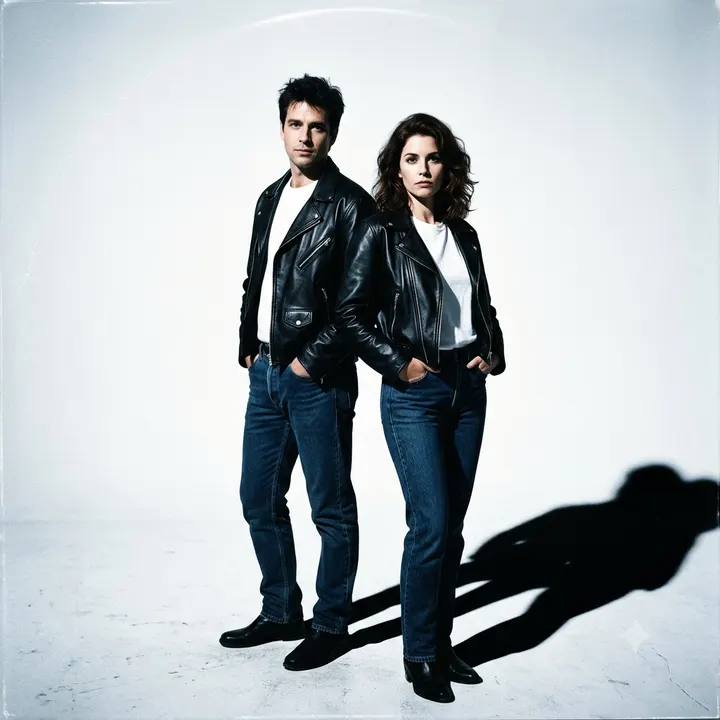
4. Couple posing like a CD cover
Edit my uploaded photo of the couple. Keep the same two people with their exact faces, facial features, skin tones, ages and real heights; do not beautify or change them. Make a 1990s album cover style photo of them standing back to back in matching black leather jackets and white T-shirts, arms relaxed at their sides, in a white studio, centred in the frame. No text, titles or logos. Light: a single hard light from the front left, making sharp shadows on the floor; slightly cool colour, glossy finish. Match the light on the faces and bodies to this scene so the two people look photographed there, not pasted in. Full-length framing, low camera angle. Aspect ratio 1:1.
Why it works: A square frame, a low angle and hard studio light echo the look of 90s CD covers. Asking for no text avoids fake band names, which the app may draw garbled.
Make it yours: Add your own title later in a photo editor, or switch to a pastel pop look with coloured backdrops.
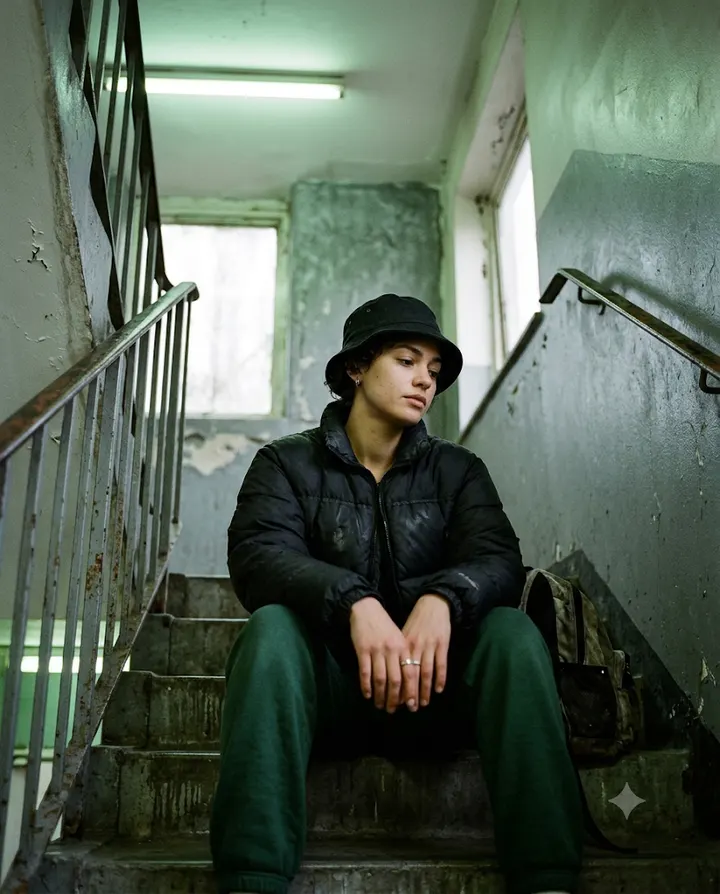
5. 90s street style in a stairwell
Edit my uploaded photo. Keep the person's exact same face, facial features, skin tone, age and body shape; do not beautify or change them. Keep their beard and hairstyle too. Make a 1990s street style film photo of them in a puffer jacket, tracksuit bottoms and a bucket hat, sitting on concrete steps of a London estate stairwell, centred in the frame, hands resting on their knees. No logos or brand names on the clothes. Light: cool fluorescent tube light mixed with daylight from a window, slightly green tint, grainy film. Match the light on the face and body to this scene so the person looks photographed there, not pasted in. Full-length framing, low camera angle. Aspect ratio 4:5.
Why it works: Mixed fluorescent and daylight gives the slightly green cast that many 90s indoor film shots had. Asking for no logos stops the model inventing sportswear branding.
Make it yours: Replace the stairwell with a basketball court in New York or a train platform in Karachi.
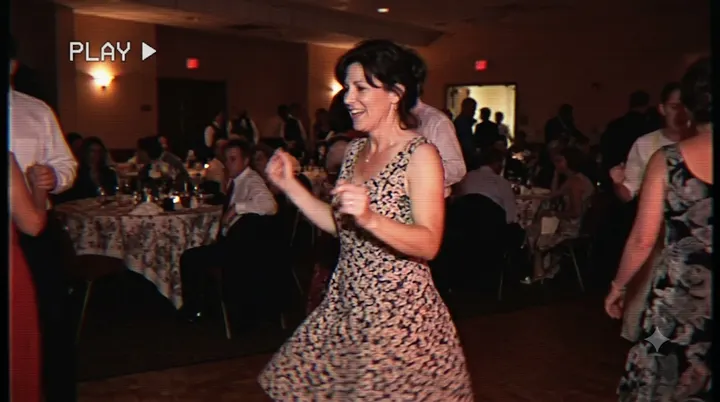
6. Camcorder freeze frame
Edit my uploaded photo. Keep the person's exact same face, facial features, skin tone, age and body shape; do not beautify or change them. Make an image that looks like a paused frame from a 1990s home camcorder tape of them dancing at a family wedding, centred in the frame, both arms raised. Slightly blurry, soft colours bleeding at the edges, faint horizontal scan lines. Add a small white PLAY symbol in the top left and no other text. Light: warm tungsten light from the hall. Match the light on the face and body to this scene so the person looks photographed there, not pasted in. Knee-up framing, eye-level camera. Aspect ratio 16:9.
Why it works: Scan lines and bleeding colour are what make a still look like it came from tape rather than film. Asking for the face to stay recognisable despite the blur stops the model losing your features in the noise.
Make it yours: Set it at a birthday party with a cake, or a beach holiday in the afternoon, and keep the same tape effects.
About these prompts
The 1990s looked different in different places, so these prompts are not only about America. You will find a London estate stairwell and a Kuala Lumpur night market next to a rainy Seattle alley. What ties them together is the camera: film, a date stamp in the corner, warm colour and soft flash.
Every prompt keeps the faces from your uploaded photo the same and states an aspect ratio. Clothing stays modest and adult. Results vary between attempts, so run a prompt two or three times before changing it. If the face changes, read how to keep your face the same.
Build your own 90s prompt
Using the uploaded photo, create a retro 1990s Bollywood-style portrait of the young woman from the photo. Style: soft glow, warm faded colours and slight film grain, like an old film poster. Framing: half-body framing from the waist up. Use a natural, confident pose and a relaxed expression. Keep the face exactly as in the uploaded photo: same facial features, skin tone, hairstyle and age. Do not beautify, slim or change the identity. Correct hands and fingers, no text, no watermark, no extra people. Aspect ratio 4:5.
Open Gemini, attach your photo with the + button, paste the prompt and send. If the face drifts, reply "keep my face exactly as in the original photo" and regenerate.
Which 90s look are you after?
The word 90s on its own gives the app a lot of room to guess. Pick one look and name its camera, light and clothes. The table breaks down the most popular ones.
| Look | Camera and light | Clothes and props |
|---|---|---|
| R&B portrait | Studio, low-key light, rim light behind the head | Satin shirt, thin chain, deep backdrop |
| Grunge | Cheap film camera, overcast daylight | Plaid flannel, ripped jeans, boots |
| Point-and-shoot snap | Direct flash, orange date stamp | Whatever you wore that day |
| Camcorder still | Tape blur, scan lines, tungsten light | Party or wedding clothes |
Getting the film colour right
90s photos were mostly shot on colour negative film and printed at a photo lab, which gives warm skin, soft greens and slightly milky blacks. Words like 'warm colour, soft grain, slightly faded print' get you closer than 'vintage filter'. Avoid asking for heavy sepia, which belongs to much older photos.
If skin tones come out orange, ask for 'natural skin tone with a slight warm film cast'. If the photo looks too sharp, add 'soft focus at the edges, as from a cheap lens'.
Keeping it modest and avoiding logos
Many viral 90s prompts copy outfits from famous music videos or name sportswear brands. We describe the style instead: satin, flannel, puffer jackets, bucket hats. Ask for 'no logos or brand names on the clothes' so the app does not invent one. Keep the outfit choices to what you would wear in public, and use your own photo or one you have permission to edit.
Frequently asked questions
What is the 90s AI photo trend?
It is an edit that makes your modern photo look like a print from the 1990s, using film colour, flash, grain and clothes of the time. Popular versions include R&B studio portraits, grunge shots and album cover couples.
How do I add the orange date stamp?
Ask for an orange digital date stamp in the bottom right corner and give short numbers such as 98 7 14. Short numbers are drawn more reliably than words or long dates.
Can I make a 90s couple photo?
Yes. Upload one clear photo of both of you and ask for both faces to stay the same. The CD cover prompt on this page is made for couples, and the night market snapshot works for two people.
Why does my 90s photo look too modern?
Modern models sharpen everything. Add soft focus, grain, a warm film cast and direct flash, and describe the camera, such as a disposable or point-and-shoot film camera.
New to AI photo editing? Start with how to edit photos with Gemini or with ChatGPT.
More prompt ideas
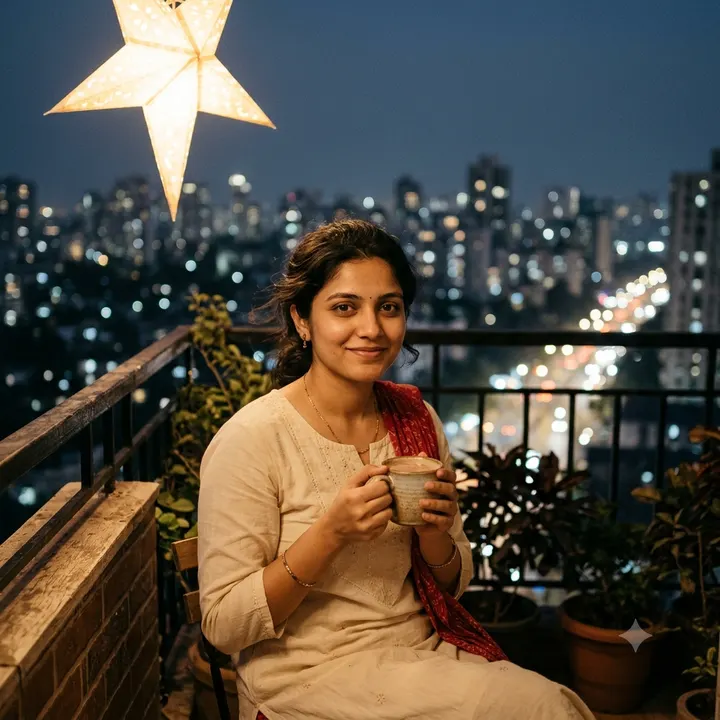 ChristmasTrees, fairy lights and winter looks6 prompts · 25 Dec
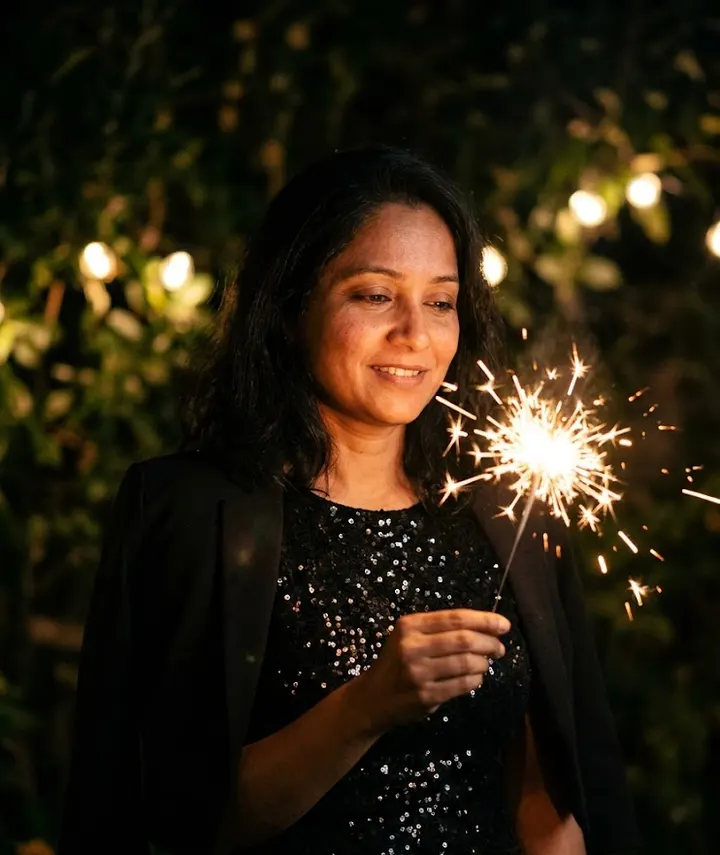 New YearMidnight sparkle for New Year 20271 prompt · 1 Jan
 3D FigurineThe desk figurine trend3 prompts
Helpful guides
- Keep your face the sameWhy AI photo edits change your face, and practical fixes: better source photos, keep-face wording, one change per message and when to start over.
- Write AI photo promptsThe eight parts of a good AI photo prompt: subject, outfit, scene, lighting, style, framing, constraints and ratio, with Indian examples and a worked rewrite.
- Fix AI photo problemsFixes for the usual AI photo mistakes: extra fingers, face drift, plastic skin, garbled text, wrong ratio, extra people and orange or blue colour casts.