New Year 2027 AI Photo Prompt for Your Own Photo
New Year's Day 2027 is on Friday, 1 January 2027. New Year's Eve is Thursday, 31 December 2026.
New Year edits get shared in a short window: the last evening of December, the stroke of midnight and the first morning of January. The ready-made prompt on this page is a night portrait with a sparkler held safely to the side. It is written for AI apps where you upload your own photo, and it asks the model to keep your face as it is.
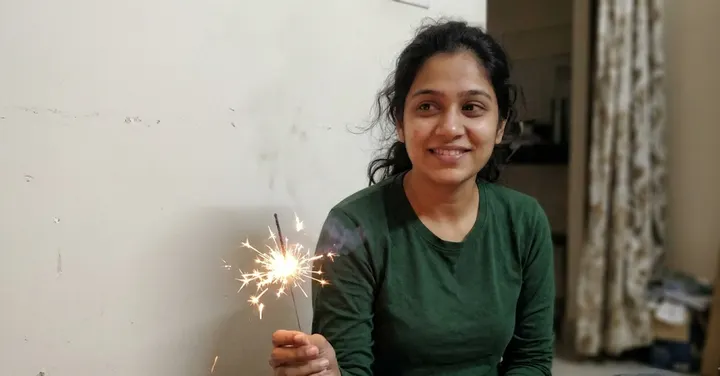 Before: plain selfie
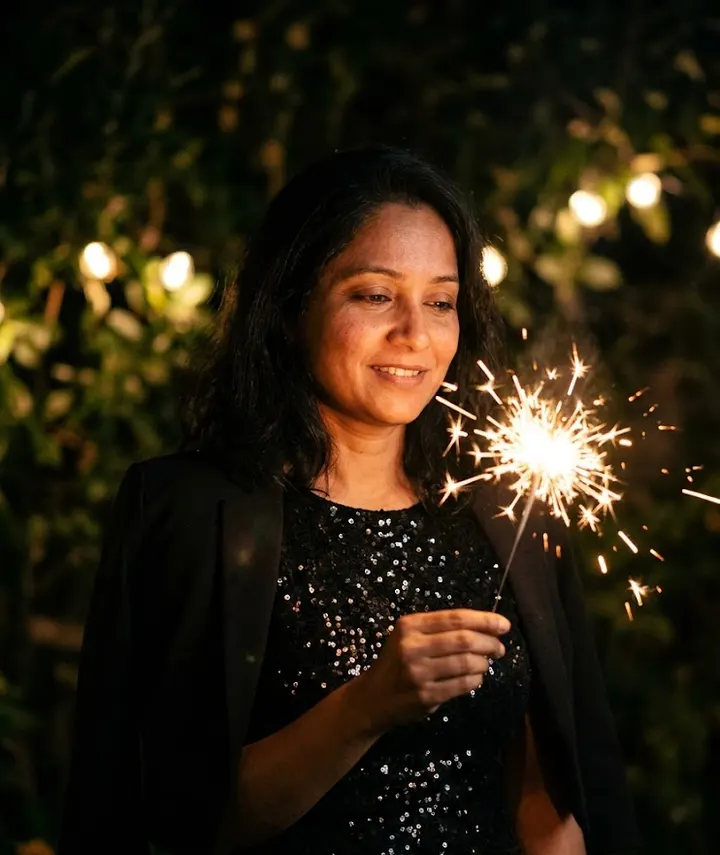 After: prompt 1
Jump to a prompt (1)
- 1. Open your AI photo app
- 2. Upload a clear photo of yourself
- 3. Paste a prompt and generate
New Year prompts to copy
Upload your own photo in the AI app first, then paste a prompt. Results differ on every try, so generate two or three versions and keep the best one. Want a different outfit or background? Use the prompt builder below.
1. Sparkler in hand
Edit the uploaded photo so the woman from the photo is holding a lit sparkler at shoulder height on New Year's Eve, its bright sparks lighting the side of her face with a warm glow. She wears a black sequinned dress with a short jacket over her shoulders. The background is a dark garden with a few blurred string lights. Close portrait from the chest up, eyes looking at the sparkler, gentle smile. Keep her face, skin tone and hair exactly as in the uploaded photo. The sparkler must be held safely away from her hair and face. Aspect ratio 4:5.
Why it works: The sparkler is the only strong light, so the prompt places it at shoulder height where it lights her face from the side without blocking it. Asking for safe distance from the hair also stops sparks from being drawn on the face.
Make it yours: Ask for "long exposure light trail from the sparkler forming a loop behind her" for a more creative shot. Avoid asking it to write numbers with light, as those often come out wrong.
About these prompts
For boys and men, couples, friend groups or families, use the prompt builder further down with the New Year preset, which writes a prompt in the same style. Night scenes are the hardest kind of AI edit, because darkness, bright fireworks and glitter all make it easy for the model to blur or change a face. The notes under the prompt explain how the wording handles that, and the sections further down cover fireworks, numbers like "2027" and getting a clean face at night.
Results change from one attempt to the next, so make two or three versions and keep the best. If the face drifts, go through how to keep your face the same. For a custom version, try the prompt generator with the New Year preset.
Build your own New Year prompt
Using the uploaded photo, create an ultra-realistic photograph of the man from the photo, wearing a sharp tailored suit, on a rooftop decorated with fairy lights. Setting: a New Year celebration with golden bokeh lights, soft confetti in the air and a festive midnight mood. Style: shot on a professional DSLR with an 85mm lens, natural skin texture and sharp focus. Use a natural, confident pose and a relaxed expression. Keep the face exactly as in the uploaded photo: same facial features, skin tone, hairstyle and age. Do not beautify, slim or change the identity. Correct hands and fingers, no text, no watermark, no extra people. Aspect ratio 4:5.
Open Gemini, attach your photo with the + button, paste the prompt and send. If the face drifts, reply "keep my face exactly as in the original photo" and regenerate.
Fireworks, glitter and confetti without ruining the face
New Year pictures add a lot of small bright things: sparks, glitter, confetti, bokeh. Each of them can land on the face, and once a bright dot sits on a cheek or eye, the model has to redraw that area. That is one way faces drift in party edits.
The fix is to place every effect somewhere specific. Fireworks go "far behind, small in the sky". Confetti stays "below eye level" or "in the foreground, out of focus". Glitter is on the dress, not the skin. When the prompt is clear about where effects go, the model has less reason to paint over the face.
| Effect | Where to put it | What to avoid |
|---|---|---|
| Fireworks | Far behind, small, slightly blurred | Fireworks as the main light on the face |
| Sparklers | Held at shoulder height, to the side | Sparkler between the camera and the face |
| Confetti | Foreground, below eye level | Heavy confetti over the whole frame |
| Glitter | On clothes or a backdrop | Glitter makeup on the face unless you wear it |
| Bokeh lights | Behind the person, several metres back | Large glowing circles near the head |
Why "2027" often comes out wrong
People love a picture with gold balloon numbers or "Happy New Year 2027" written in the sky. AI image models have improved at writing text, but numbers and words are still a common place for errors: a missing digit, a 7 that looks like a 1, or extra letters. Results also vary between attempts.
Two simple options work better. First, ask for empty space in the composition and add the text yourself in any photo app. Second, if you really want balloon numbers in the scene, keep the request short and exact, for example "gold foil balloons showing the digits 2, 0, 2, 7 in that order", and check every digit before you post. Read how to write AI photo prompts for more on keeping requests short and specific.
Getting a clean face in a night photo
Night edits fail in a predictable way: the model darkens the whole image to match the mood, then smooths and guesses the face. A few habits help.
- Upload a well-lit daytime or indoor photo, even for a night scene. The model needs to see your face clearly to keep it. See which photo to upload.
- Give the face its own light in the prompt: a lamp, a phone screen, a sparkler to the side or "soft key light on the face".
- Keep the background darker than the face. Say it directly: "background darker than the subject".
- Ask for natural skin texture, so the model does not smooth the face to hide noise.
- If the face still drifts, reply "keep the scene, but match the face exactly to my original photo" instead of starting over.
Frequently asked questions
When is New Year 2027?
New Year's Day 2027 is on Friday, 1 January 2027. New Year's Eve is the night of Thursday, 31 December 2026.
Can I add Happy New Year 2027 text with the prompt?
You can ask for it, but text and numbers in AI images often come out with mistakes. It is more reliable to leave empty space in the picture and add the text yourself in a photo editing app.
How do I make a New Year couple photo?
Use the prompt builder with the New Year preset and pick Couple, or change the person line of the sparkler prompt to describe both of you. Choose poses where both people face the camera partly, and say who stands on the left and who stands on the right.
What size should a New Year WhatsApp status be?
Use a 9:16 aspect ratio for WhatsApp status and Instagram stories. Use 4:5 for an Instagram post and 1:1 for a profile picture.
Why is my face blurry in the New Year night edit?
Dark scenes make the model guess more. Upload a well-lit photo, ask for soft light on the face and a darker background, and request natural skin texture.
New to AI photo editing? Start with how to edit photos with Gemini or with ChatGPT.
More prompt ideas
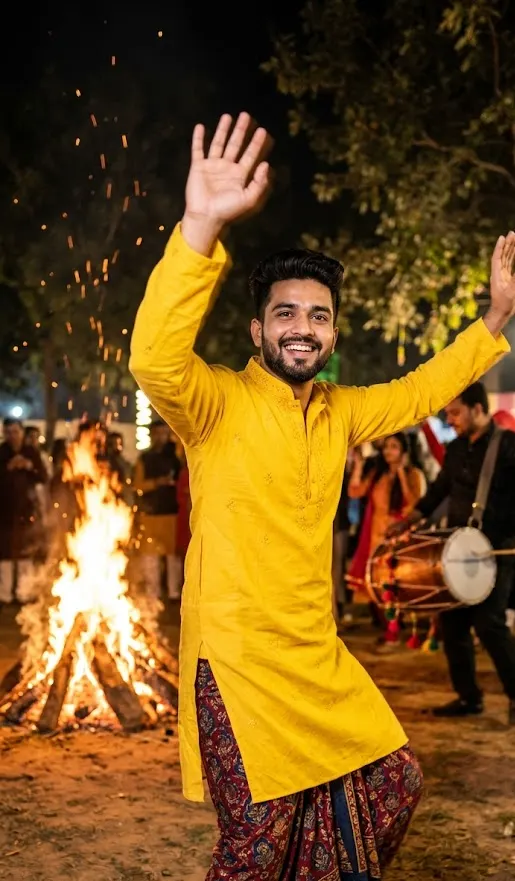 Lohri and Makar SankrantiBonfires, kites and harvest colours1 prompt · 14 Jan
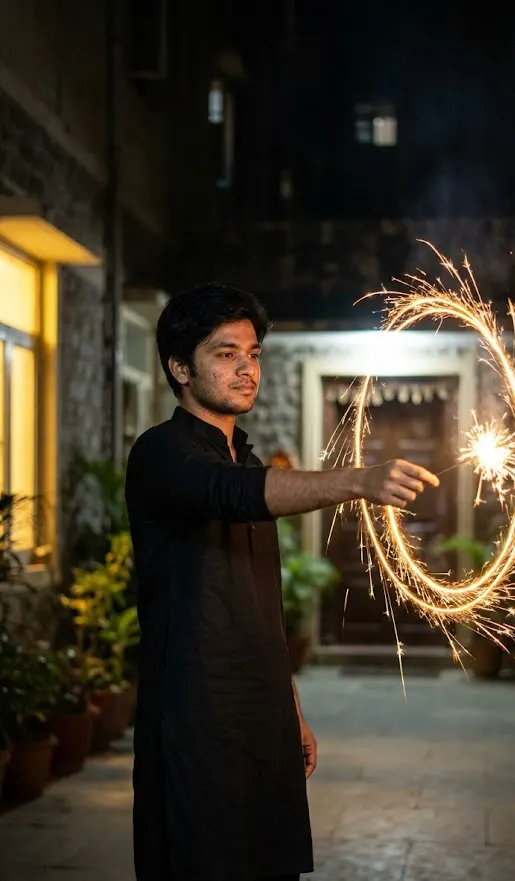 DiwaliDiyas, rangoli and festive glow3 prompts · 8 Nov
 3D FigurineThe desk figurine trend3 prompts
Helpful guides
- Keep your face the sameWhy AI photo edits change your face, and practical fixes: better source photos, keep-face wording, one change per message and when to start over.
- Write AI photo promptsThe eight parts of a good AI photo prompt: subject, outfit, scene, lighting, style, framing, constraints and ratio, with Indian examples and a worked rewrite.
- Aspect ratio guideWhich aspect ratio to ask an AI app for: Instagram posts, stories, reels, profile photos and WhatsApp status, with sizes from Instagram and Meta help pages.