Diwali AI Photo Prompts: Phuljhari, Mithai and Bhai Dooj
Diwali (Lakshmi Puja) falls on Sunday, 8 November 2026. Dhanteras is on Friday, 6 November, Narak Chaturdashi (Choti Diwali) is also on Sunday, 8 November, Govardhan Puja is on Tuesday, 10 November and Bhai Dooj on Wednesday, 11 November 2026. Next year: Diwali (Lakshmi Puja) falls on Friday, 29 October 2027, with Dhanteras on Wednesday, 27 October, Choti Diwali on Thursday, 28 October, Govardhan Puja on Saturday, 30 October and Bhai Dooj on Sunday, 31 October 2027 (Drik Panchang, New Delhi).
Upload a clear photo of yourself and paste one of the three Diwali prompts below. One is a night portrait with a phuljhari light trail, one shows you carrying mithai boxes to the neighbours, and one is a daylight Bhai Dooj tilak for grown-up siblings. Each keeps your face as it is and changes the clothes, the setting and the light.
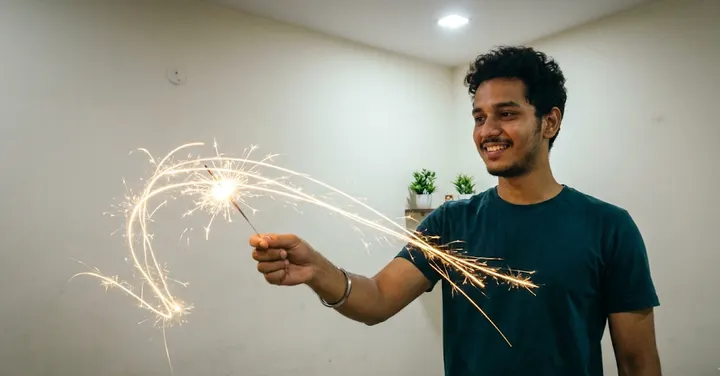 Before: plain selfie
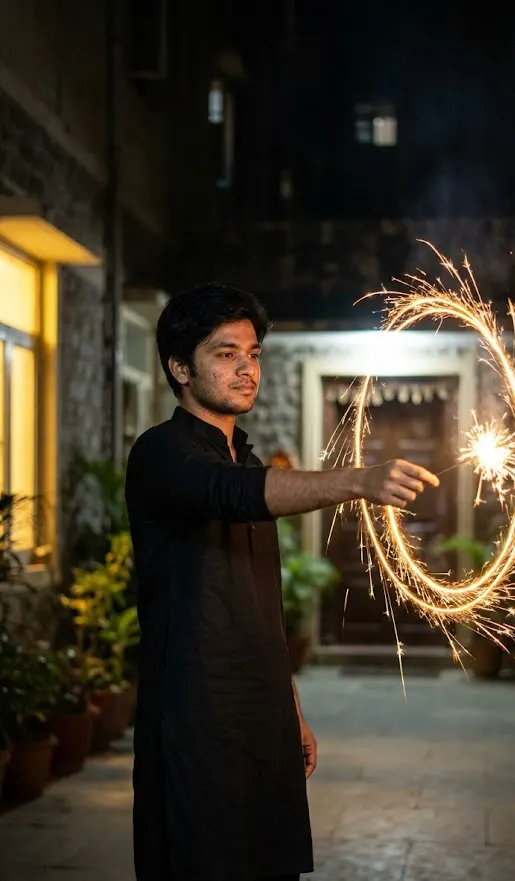 After: prompt 1
Jump to a prompt (3)
- 1. Open your AI photo app
- 2. Upload a clear photo of yourself
- 3. Paste a prompt and generate
Diwali prompts to copy
Upload your own photo in the AI app first, then paste a prompt. Results differ on every try, so generate two or three versions and keep the best one. Want a different outfit or background? Use the prompt builder below.
1. Phuljhari light trail at arm's length
Using the uploaded photo, create a night photo of the young man from the photo in a black cotton kurta in his building courtyard, holding a lit phuljhari sparkler at full arm's length to the side, far from his face, hair and clothes. A long exposure turns the sparks into a golden spiral trail beside him while he stays sharp and still. Soft light from a nearby window falls on his face. Frame from the knees up. Keep his face exactly as in the photo, same hairline and skin texture, no smoothing. Aspect ratio 9:16.
Why it works: A long exposure light trail looks striking, and asking for full arm's length keeps the sparks well away from the body in the picture. Mentioning a cotton kurta matters because synthetic fabric catches fire more easily, so the image matches safe real-life practice.
Make it yours: Ask for "the trail drawn as a large circle beside him, still at arm's length" for a fun Instagram story, or switch to 4:5 and frame from the waist up for a feed post.
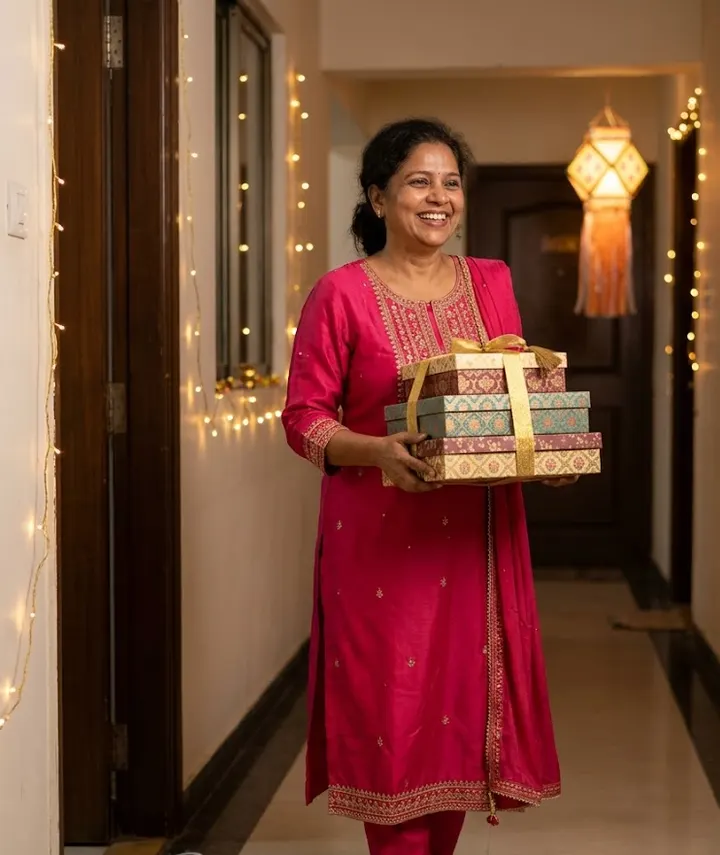
2. Carrying mithai to the neighbours
Using the uploaded photo, create a cheerful photo of the person from the photo stepping out of their front door with a stack of decorated mithai boxes tied with gold ribbon, on the way to greet the neighbours on Diwali. They wear a festive outfit in rani pink with light embroidery. The corridor is lit with strings of warm lights and a lantern hangs on the neighbour's door, softly blurred. Bright, natural expression mid-step. Keep the face exactly as in the uploaded photo, same skin tone and hairstyle. No brand names on the boxes. Aspect ratio 4:5.
Why it works: Exchanging sweets is a big part of Diwali in apartment buildings, and a mid-step pose gives a candid look. "No brand names" keeps the model from inventing a sweet-shop logo on the boxes.
Make it yours: Replace the mithai with "a basket of dry fruits and a small potted plant" for a gifting post that feels a little different.
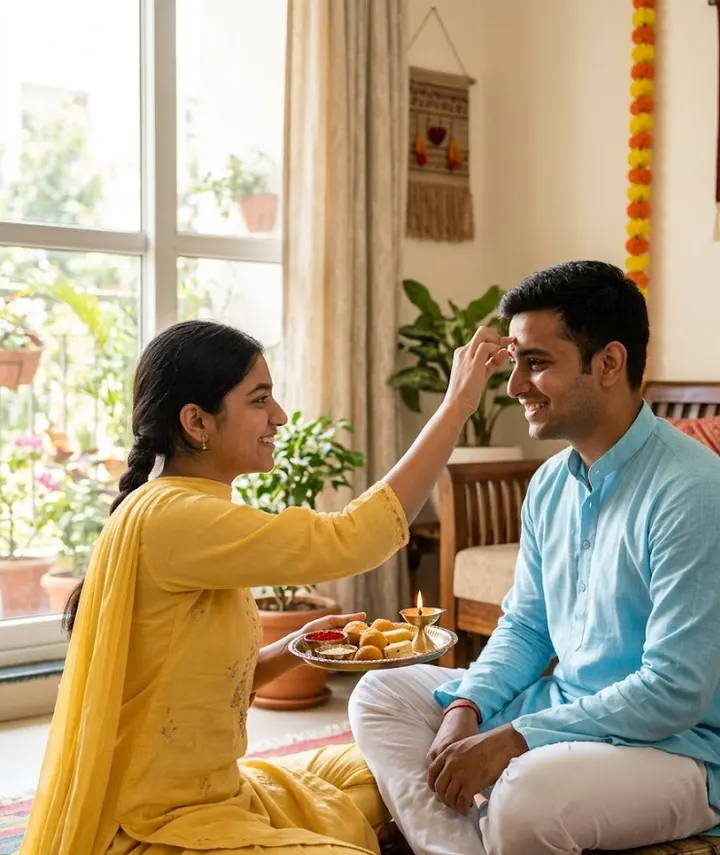
3. Bhai Dooj tilak for grown-up siblings
Using the uploaded photo of the brother and sister, create a warm Bhai Dooj morning photo in a bright living room. The sister applies a red tilak on her brother's forehead with her ring finger while he sits on a low stool, a steel thali with roli, rice and sweets in her other hand. A single small diya sits at the far side of the thali, away from her dupatta. He wears a light blue kurta, she wears a yellow cotton suit. Morning daylight from a window. Keep both faces and ages exactly as in the photo. Aspect ratio 4:5.
Why it works: Daylight sets this apart from the night scenes of Diwali and suits the morning ritual. Naming the ring finger and the thali in her other hand gives the model a clear pose and avoids extra or merged hands.
Make it yours: Ask for "both siblings laughing as he pretends to dodge the tilak" if you want a playful photo rather than a formal one.
About these prompts
Diwali is one of the hardest festivals for AI photo edits. The whole scene is lit by small warm flames, so skin turns orange, faces lose detail and the model sometimes puts a diya right under someone's chin. The prompts here give the face its own light, from a window or daylight, and any flame stays at a safe distance from hair, dupattas, sleeves and faces. We ask for that in the image because it looks better, and because it is how you should hold a diya or a phuljhari in real life too.
AI results change from one attempt to the next, even with the same words. If your face drifts, read how to keep your face the same before rewriting the prompt. For a couple, family or puja look, build your own with the prompt generator and its Diwali preset. The lighting and safety notes below apply to those too.
Build your own Diwali prompt
Using the uploaded photo, create an ultra-realistic photograph of the man from the photo, wearing a well-fitted kurta with subtle embroidery. Setting: a Diwali evening with rows of glowing clay diyas, a colourful rangoli on the floor and marigold garlands. Style: shot on a professional DSLR with an 85mm lens, natural skin texture and sharp focus. Use a natural, confident pose and a relaxed expression. Keep the face exactly as in the uploaded photo: same facial features, skin tone, hairstyle and age. Do not beautify, slim or change the identity. Correct hands and fingers, no text, no watermark, no extra people. Aspect ratio 4:5.
Open Gemini, attach your photo with the + button, paste the prompt and send. If the face drifts, reply "keep my face exactly as in the original photo" and regenerate.
Diwali lighting without orange skin
Diyas, fairy lights and lanterns all give warm, yellow-orange light. When that is the only light in a prompt, the model paints the face orange as well, and shadows go muddy. The fix is to give the face a separate, more neutral light: an open door, a window, a shop bulb or a soft front light.
| Light in the scene | What often goes wrong | Line to add |
|---|---|---|
| Rows of diyas | Face lit from below, orange skin, flame too close | Soft white light on the face from the front; diyas stay an arm's length away |
| Fairy lights | Coloured dots on cheeks, yellow cast | Lights a few metres behind, no light spots on the face |
| Akash kandil or lantern | Strong colour of the lantern on skin | Lantern as back light, cool evening sky as fill |
| Phuljhari or anaar | Sparks on the face, burnt look | Sparkler at full arm's length, sparks away from face and clothes |
| Camera flash (retro look) | Flat, shiny skin | Soft direct flash, natural skin texture, no shine |
If an image still comes out orange, reply in the same chat with only the fix, for example "same image, make my skin tone match the uploaded photo". More fixes are in common AI photo problems.
Keep flames away from hair, clothes and faces
AI models have no sense of safety. Ask for "a woman holding a diya" and you may get a flame touching her dupatta or held right under her chin. A picture like that looks wrong to anyone who has lit diyas, and it copies a habit that causes real burns every Diwali. Write the distance into the prompt.
- Place diyas on a ledge, step or thali edge, and say "away from her saree" or "an arm's length from his sleeves".
- For a sparkler, ask for "full arm's length to the side" and "sparks away from face, hair and clothes".
- Mention cotton outfits when someone holds a flame. Synthetic and loose net fabrics catch fire easily.
- Ask for long hair tied back or a dupatta pinned in any shot with a lit lamp in hand.
- Keep crackers out of close portraits. If you want fireworks, put them far away in the sky behind.
The same rules hold when you shoot your original photo. A clear, front-facing photo in normal light, taken away from the lamps, gives the model the best start. The photo upload guide explains what to look for.
Five days of Diwali, five looks
Diwali is a five-day festival in much of India, and each day has its own mood. If you post on more than one day, a different look for each keeps your photos from all looking the same.
| Day (2027) | Mood | Outfit and scene idea |
|---|---|---|
| Dhanteras, Wed 27 Oct | Shopping, new things | Pastel kurta in a utensil or jewellery bazaar at dusk |
| Choti Diwali, Thu 28 Oct | Getting the house ready | Cotton saree or kurta, making rangoli, hanging a toran |
| Lakshmi Puja, Fri 29 Oct | Prayer and lights | Silk saree, lehenga or sherwani, puja corner and diyas |
| Govardhan Puja, Sat 30 Oct | Family, food | Relaxed festive wear, family meal or annakut spread |
| Bhai Dooj, Sun 31 Oct | Siblings | Daylight, tilak and thali, light colours |
Treating puja elements with respect
Many Diwali photos include a puja corner, an idol or a sacred symbol. AI models often draw these badly: extra arms, wrong features, broken symbols or text that looks like Sanskrit but means nothing. Keep the altar softly out of focus behind you, and write "no text or symbols" if you do not need them. Do not ask the model to dress you as a deity or place your face on one. Show yourself praying, lighting a lamp or with family, and let the setting do the rest.
If you plan to share the edit, our step-by-step editing guide and guide to asking for small edits explain how to ask for small fixes without starting over.
Frequently asked questions
When is Diwali in 2027?
Diwali (Lakshmi Puja) is on Friday, 29 October 2027. Dhanteras is on 27 October, Choti Diwali on 28 October, Govardhan Puja on 30 October and Bhai Dooj on 31 October 2027, as per Drik Panchang for New Delhi.
How do I get a neat rangoli in my Diwali AI photo?
Name the design and the colours, such as a round flower rangoli in orange, pink and white with diyas around its edge, and say it lies flat on the floor in front of you, not under your feet. Simple circular patterns come out cleaner than detailed ones, because the model struggles to keep complex symmetry.
Why does my face look orange in Diwali AI photos?
The diyas and fairy lights are the only light in the scene, so the model colours your skin to match. Add a separate neutral light on your face, such as an open door or a window, and ask for natural skin tone with no orange tint.
How do I stop the AI putting a diya too close to my face?
Say where the flame should be. Put diyas on a ledge, step or the edge of a thali and add a distance such as an arm's length from clothes and hair. For sparklers, ask for them held at full arm's length with sparks away from the face.
Which prompt suits a Bhai Dooj photo with my brother or sister?
Use the Bhai Dooj tilak prompt with a clear photo of both siblings. It is set in morning daylight with a thali, so it looks different from your Diwali night photos. Ask the model to keep both faces and ages exactly as they are.
New to AI photo editing? Start with how to edit photos with Gemini or with ChatGPT.
More prompt ideas
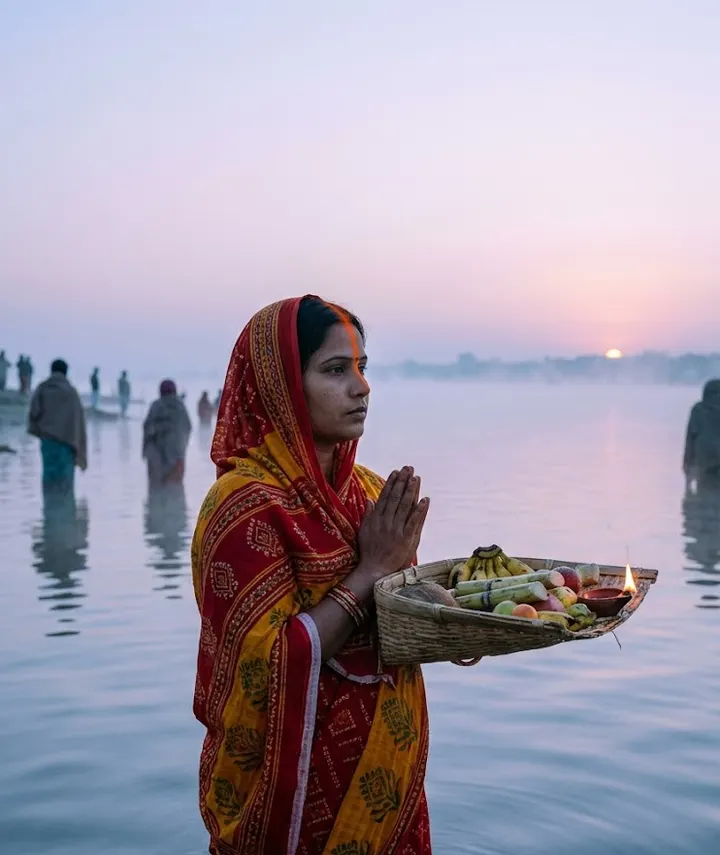 Chhath PujaSunset arghya by the river5 prompts · 15 Nov
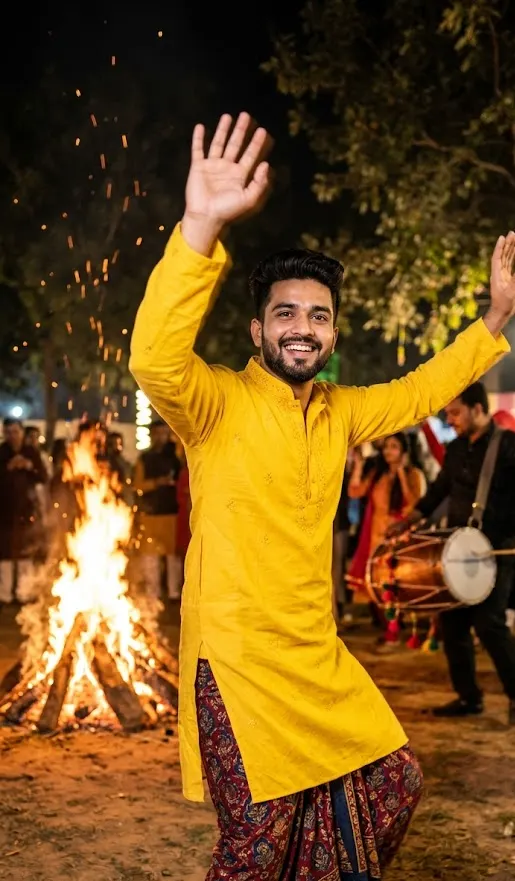 Lohri and Makar SankrantiBonfires, kites and harvest colours1 prompt · 14 Jan
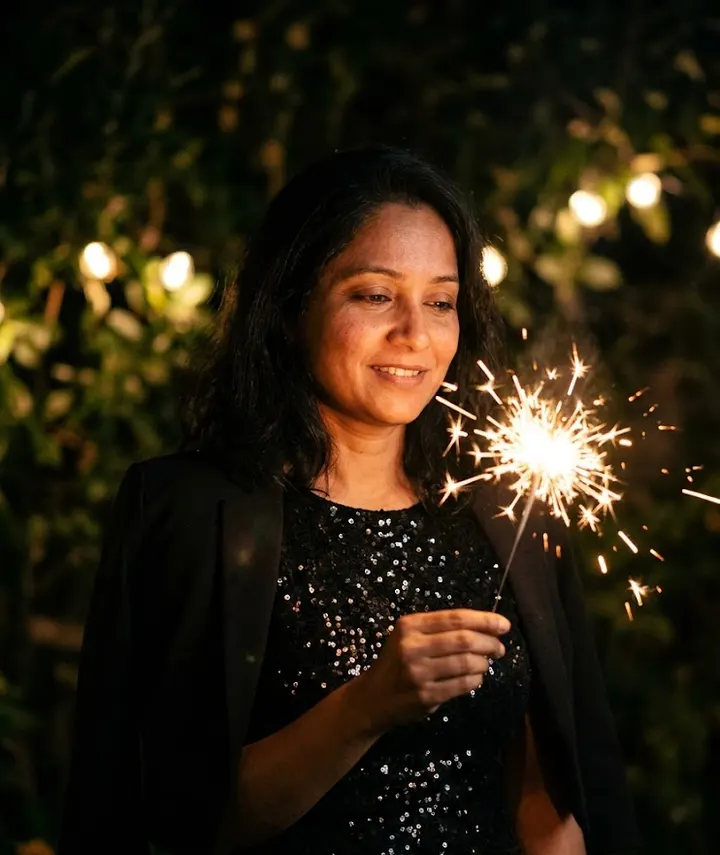 New YearMidnight sparkle for New Year 20271 prompt · 1 Jan
Helpful guides
- Keep your face the sameWhy AI photo edits change your face, and practical fixes: better source photos, keep-face wording, one change per message and when to start over.
- Fix AI photo problemsFixes for the usual AI photo mistakes: extra fingers, face drift, plastic skin, garbled text, wrong ratio, extra people and orange or blue colour casts.
- Best photo for AI editingWhich photo to upload before an AI edit: light, angle, distance, resolution, filters, glasses and group shots, with a quick checklist table and phone tips.