Christmas AI Photo Prompts for Men, Women and Couples
Christmas looks different in every home, from a snowy street in a European town to a whitewashed church among palm trees in Goa, and each prompt here starts from your own photo to build one of those scenes. Each one asks the app to keep your face as it is and change the scene, the clothes and the light around you. You will find prompts for men, for women and for couples.
Christmas: Fri, 25 Dec 2026 · all dates
Christmas Day is Friday, 25 December 2026, and Christmas Eve is Thursday, 24 December 2026.
How to use & jump to a prompt (6)
- 1. Open your AI photo app
- 2. Upload a clear photo of yourself
- 3. Paste a prompt and generate
Christmas prompts to copy
Upload your own photo in the AI app first, then paste a prompt. Results differ on every try, so generate two or three versions. Want a different outfit or background? Use the prompt builder below.
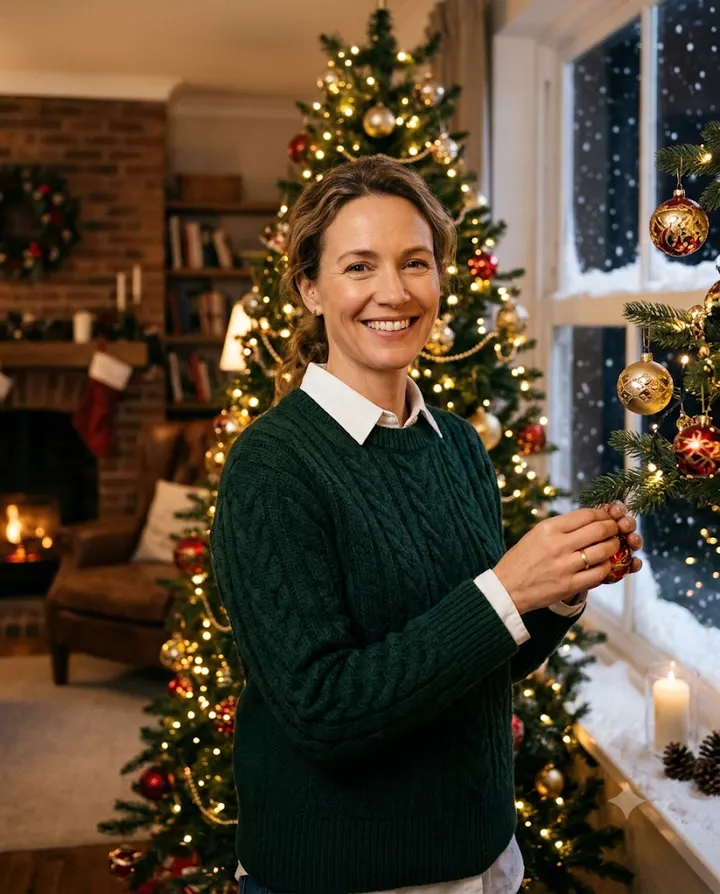
1. Knit sweater portrait beside the tree
Edit my uploaded photo. Keep the person's exact same face, facial features, skin tone, age and body shape; do not beautify or change them. Make a realistic portrait of them in a deep bottle green cable-knit sweater over a white collared shirt, standing on the right of the frame beside a tall decorated Christmas tree in a living room, hands relaxed at their sides. Snow is on the window ledge behind. The fairy lights on the tree are soft and out of focus. No text, no extra people. Light: a soft lamp from the left, so the skin tone stays natural, not orange. Match the light on the face and body to this scene so the person looks photographed there, not pasted in. Half-body framing at eye level, 85mm lens. Natural skin texture, looks like a real photo. Aspect ratio 4:5.
Why it works: Asking for a lamp from the left gives the face its own light source, so the model does not paint the whole face with the orange of the fairy lights. Naming the shirt collar adds a clean edge under the chin that helps the face read clearly.
Make it yours: Swap the bottle green sweater for a navy one if you find green makes the photo look too "Christmas card".
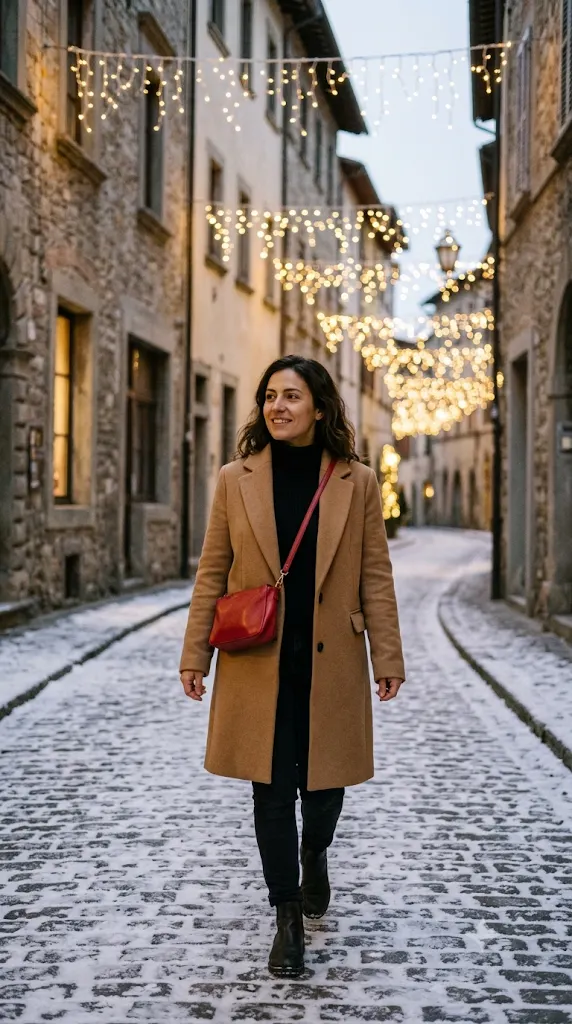
2. Evening walk under street lights
Edit my uploaded photo. Keep the woman's exact same face, facial features, skin tone, age and body shape; do not beautify or change them. Make a candid evening street photo of her in a camel wool coat over a black turtleneck, with a small red sling bag worn across her body, walking slightly towards the camera in the centre of a shopping street in a European city at Christmas. Her arms swing naturally and she looks off to one side with a small smile. Strings of white and gold lights hang between old stone buildings, and snow dusts the pavement. Light: the string lights, which become round bokeh behind her. Match the light on the face and body to this scene so the person looks photographed there, not pasted in. Frame from the knees up at eye level, 35mm lens. Natural skin texture, looks like a real photo. Aspect ratio 9:16.
Why it works: The street is described by its look, lights between old buildings and snow on the pavement, so it reads like London or Vienna without naming a real shop. "Walking slightly towards the camera" gives a candid feel, while "looking off to one side" keeps most of her face visible so the model has less to invent.
Make it yours: For a calmer picture, change "busy city street" to "quiet lane with a single lit doorway" and ask for her to stand still, leaning on a lamp post.
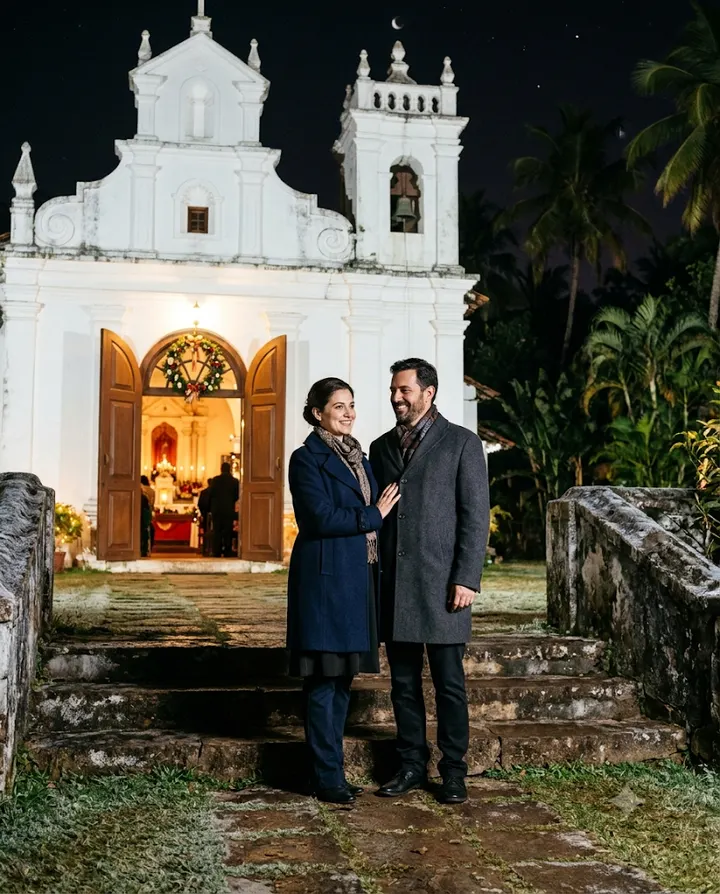
3. White church at midnight
Edit my uploaded photo of the couple. Keep the same two people with their exact faces, facial features, skin tones, ages and real heights; do not beautify or change them. Make a night photo of them standing side by side in front of a whitewashed Goan church on Christmas Eve, with palm trees on either side. She wears a light navy cotton dress with a thin shawl; he wears a white linen shirt and dark trousers. Her hand rests on his arm and his other hand hangs at his side; nothing in their hands. Light: warm light spilling from the open wooden church doors behind them. Match the light on the faces and bodies to this scene so the two people look photographed there, not pasted in. Full-length framing at eye level, 35mm lens. Natural skin texture, looks like a real photo. Aspect ratio 4:5.
Why it works: A lit doorway gives a clean, bright area behind them, so the faces do not compete with busy decorations. Asking to keep their real heights stops the model from changing who stands taller, which is a common change in couple edits.
Make it yours: Ask for "light drizzle and reflections on the steps" for a film look, or swap the coats for light cotton clothes to suit a warm December.
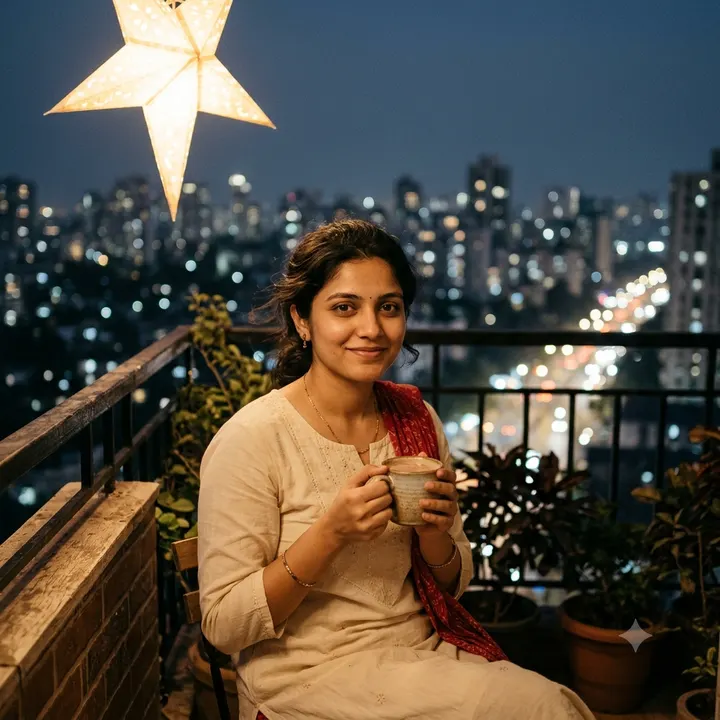
4. Balcony with a star lantern
Edit my uploaded photo. Keep the woman's exact same face, facial features, skin tone, age and body shape; do not beautify or change them. Make an evening photo of her in a cream cotton kurta with a thin red dupatta, standing in the centre of a small apartment balcony in Mumbai with a lit paper star lantern hanging from the ceiling above her. She holds a cup of hot chocolate with both hands wrapped around it. The city lights behind are blurred. Light: the lantern as a warm light on one side of her face and the blue evening sky as a cool fill. Match the light on the face and body to this scene so the person looks photographed there, not pasted in. Chest-up framing at eye level, 85mm lens. Natural skin texture, looks like a real photo. Aspect ratio 1:1.
Why it works: Star lanterns are hung outside homes in many Christian neighbourhoods in Mumbai and Goa, so naming the city and the lantern sets the scene without needing snow. Pairing a warm lantern with a cool blue sky gives a natural balance and keeps her skin from going yellow.
Make it yours: Change the 1:1 ratio to 9:16 and ask for "full height of the balcony with the lantern in frame" to use it as a WhatsApp status.
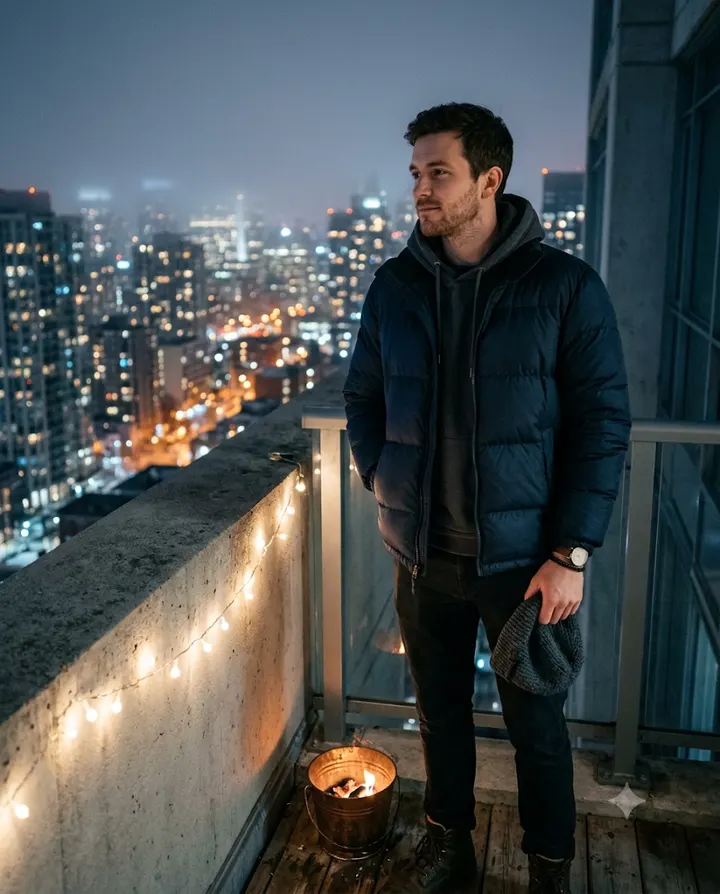
5. Winter terrace with a bonfire bucket
Edit my uploaded photo. Keep the man's exact same face, facial features, skin tone, age and body shape; do not beautify or change them. Make a photo of him in a puffer jacket over a hoodie, standing in the centre of a rooftop in Seoul on a cold December night, with apartment towers and city lights behind. He holds a woollen beanie in one hand at his side and keeps the other hand in his jacket pocket. Fairy lights are strung along the terrace wall and a small metal fire bucket glows near his feet. Light mist hangs in the air. Light: cool blue night shadows with warm light from the fire bucket and fairy lights. Match the light on the face and body to this scene so the person looks photographed there, not pasted in. Frame from the thighs up, three-quarter angle, 50mm lens. Natural skin texture, looks like a real photo. Aspect ratio 4:5.
Why it works: Seoul is properly cold in late December, so a puffer and a misty rooftop look believable there, and the city lights give depth without busy decorations. Holding the beanie in his hand keeps the hairline visible, which is one of the things that makes a face recognisable.
Make it yours: Ask for "a friend's silhouette blurred in the background" to make it feel like a party, or remove the mist if your original photo is very sharp.
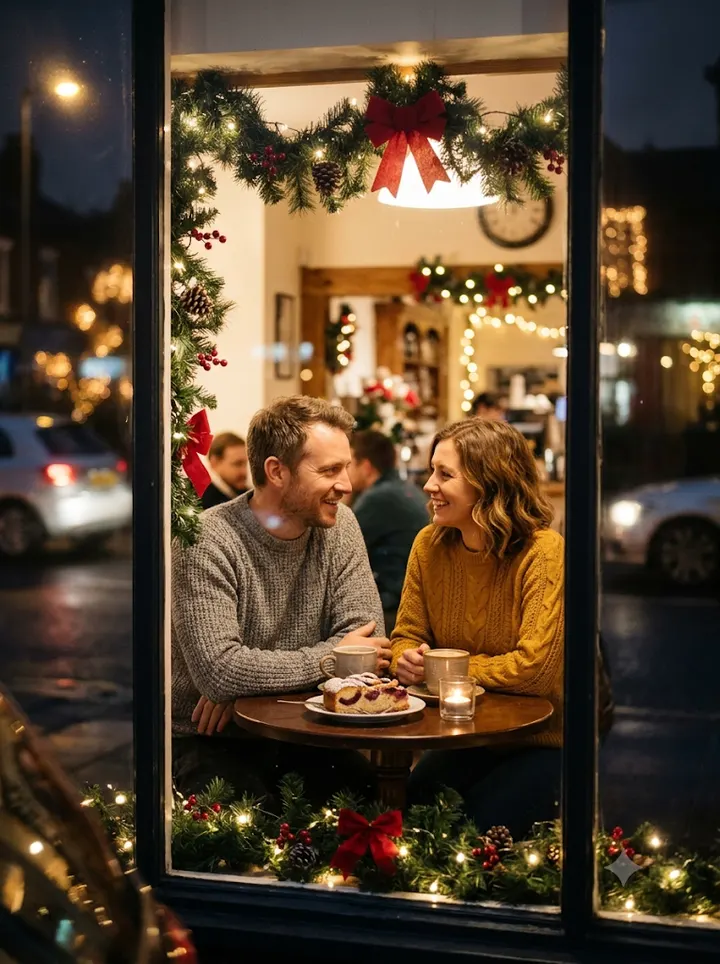
6. Couple at a cafe window
Edit my uploaded photo of the couple. Keep the same two people with their exact faces, facial features, skin tones, ages and real heights; do not beautify or change them. Make a photo of them at a small round table by the window of a cafe decorated for Christmas, with a garland and red bows on the window frame and a plate of plum cake on the table between them. Both wear sweaters, his grey and hers mustard. They lean towards each other and smile, hands resting on the table. Do not swap their positions. Light: street lights outside, with soft reflections only at the edges of the frame. Match the light on the faces and bodies to this scene so the two people look photographed there, not pasted in. Shot from outside the glass at eye level, 50mm lens, faces clear. Natural skin texture, looks like a real photo. Aspect ratio 3:4.
Why it works: Shooting through glass is a nice touch, but the instruction keeps reflections at the edges so the faces stay clean. "Do not swap their positions" helps the model match each face to the right body.
Make it yours: Replace plum cake with mince pies and a pot of tea for a British table, or masala chai in kulhads for a South Asian one. Move the camera inside the cafe if the reflections look messy.
About these prompts
Most Christmas edits online look the same: a tree, a red sweater, too much glow. These scenes aim for real Decembers, whether yours is snowy or warm: a midnight church doorway, an evening walk under city lights, a cold rooftop in Seoul, a cafe window and a Mumbai balcony with a paper star lantern. Every prompt has a short note on why the wording is there and one change you can make to get a different picture.
AI results vary between attempts, even with the same prompt. If your face changes, read how to keep your face the same before you start rewriting the whole prompt. To build your own version from scratch, open the prompt generator with the Christmas preset.
Build your own Christmas prompt
Using the uploaded photo, create an ultra-realistic photograph of the man from the photo, wearing a cosy knitted sweater and a scarf. Setting: a cosy Christmas setting with a decorated Christmas tree, warm fairy lights, wrapped gifts and a few red and gold ornaments. Style: shot on a professional DSLR with an 85mm lens, natural skin texture and sharp focus. Use a natural, confident pose and a relaxed expression. Keep the face exactly as in the uploaded photo: same facial features, skin tone, hairstyle and age. Do not beautify, slim or change the identity. Correct hands and fingers, no text, no watermark, no extra people. Aspect ratio 4:5.
Open Gemini, attach your photo with the + button, paste the prompt and send. If the face drifts, reply "keep my face exactly as in the original photo" and regenerate.
Fixing red and green colour casts
Christmas scenes are full of red and green, and AI models tend to let those colours spill onto skin. You may see a pink face, a green shadow under the chin or a strange orange glow from the fairy lights. This happens because the model is matching the mood of the scene, and the face gets coloured along with everything else.
Fix it at the prompt level first. Give the face its own light: a lamp, a window, or "soft white light on the face". Then limit the big colour areas: one red thing and one green thing is enough. A sweater, a tree, a bow on a gift. If you ask for red walls, red clothes and red lights together, the cast will be strong.
| What you see | Likely cause | Line to add |
|---|---|---|
| Face looks orange or yellow | Fairy lights used as the only light | Light the face with soft neutral white light from a window |
| Pink or red cheeks you do not have | Red clothing reflecting, or a "festive glow" request | Keep natural skin tone, no blush, no red tint on the skin |
| Green tint in shadows | Large green tree or wall close to the face | Keep the tree a few steps behind, out of focus |
| Whole photo too saturated | Too many colour words in the prompt | Muted, natural colours, realistic photo |
If one try still comes out wrong, do not rewrite everything. Reply in the same chat with just the fix, for example "same image, but make the skin tone match my original photo". More fixes like this are in common AI photo problems.
Getting fairy-light bokeh that looks real
Bokeh is the soft round blur you get when lights are far behind the person and out of focus. It looks good in Christmas photos, but AI sometimes makes the circles too big, too perfect, or puts them in front of the face.
- Say where the lights are: "behind her, several metres back". Distance is what makes them blur.
- Mention a lens: "85mm lens, shallow depth of field". This is a widely used way to describe a blurred background.
- Ask for "small, soft bokeh" if the circles look like balloons.
- Add "no lights in front of the face" when you notice glowing dots on the cheeks.
- Pick one colour of lights. Warm white or gold looks calmer than multicolour lights.
Heart-shaped or star-shaped bokeh can look fun for a story, but it reads as an effect. For a portrait you want people to think is a real photo, keep the circles round.
Dressing for a cold or a warm December
A heavy coat and snow look odd if everyone knows you live somewhere warm. Christmas falls in very different weather around the world. London, New York, Seoul and Delhi are cold, so coats, scarves and knitwear look right. Manila, Jakarta, Kuala Lumpur, Lagos and Dubai stay warm or mild, so a linen shirt, a light dress or a short-sleeved batik shirt is closer to what people wear to church or a party. In Sydney or Melbourne it is summer, and a garden or beach lunch is the real Christmas picture.
Match the outfit to the place you are showing. If the scene is your own city, dress for its weather. If you want snow and big jackets, set the scene somewhere cold so the picture makes sense. You can also mix your own festive wear with Christmas colours: a red silk kurta, a printed Ankara dress, a sheer barong shirt or a white embroidered dress all look festive and are easy for the model to draw.
For the best result, upload a clear, front-facing photo with even light. The photo upload guide explains which photos give the model the most to work with.
Frequently asked questions
When is Christmas in 2026?
Christmas is on Friday, 25 December 2026. Christmas Eve is on Thursday, 24 December 2026.
Why does my face look orange in the Christmas edit?
The fairy lights and red decorations are colouring your skin. Add a line asking for soft neutral light on the face and natural skin tone with no red or orange tint, then regenerate.
Which aspect ratio should I use for a Christmas WhatsApp status?
Use 9:16 for WhatsApp status, Instagram stories and reels. Use 4:5 for an Instagram feed post and 1:1 for a profile picture.
Which Christmas AI photo prompts work for men?
The knit sweater by the tree and the winter rooftop with a bonfire bucket both suit men. Change the outfit line to a dark overcoat, a plain sweater or a shirt and blazer, and add a line that preserves facial hair so a beard is not removed or added.
Do these Christmas prompts suit couples?
Yes. The cafe window and the church doorway prompts are written for couples. Upload one clear photo of both of you and keep the line that keeps both faces and real heights the same.
New to AI photo editing? Start with how to edit photos with Gemini or with ChatGPT.
More prompt ideas
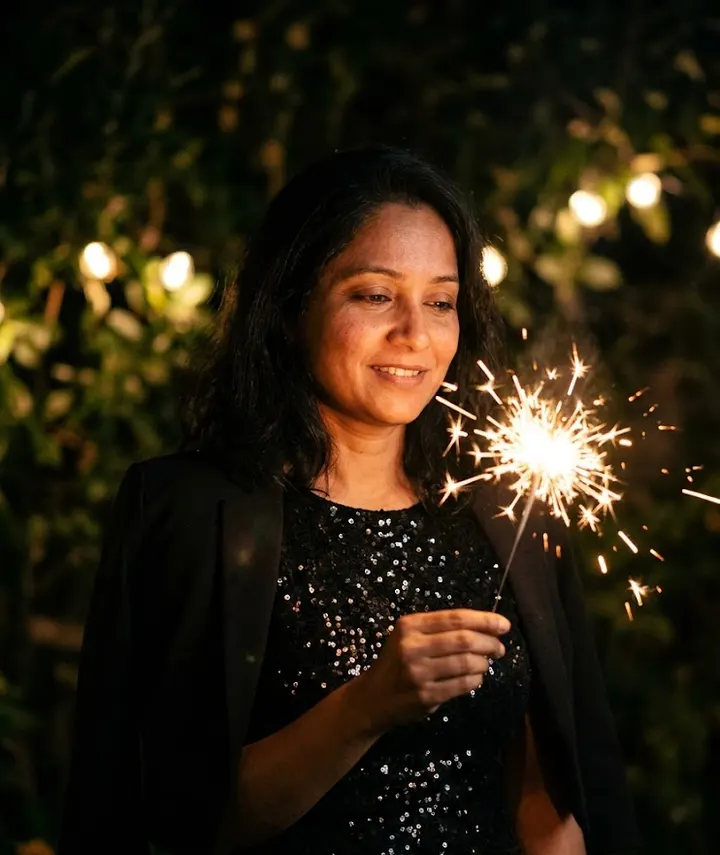 New YearMidnight sparkle for New Year 20271 prompt · 1 Jan
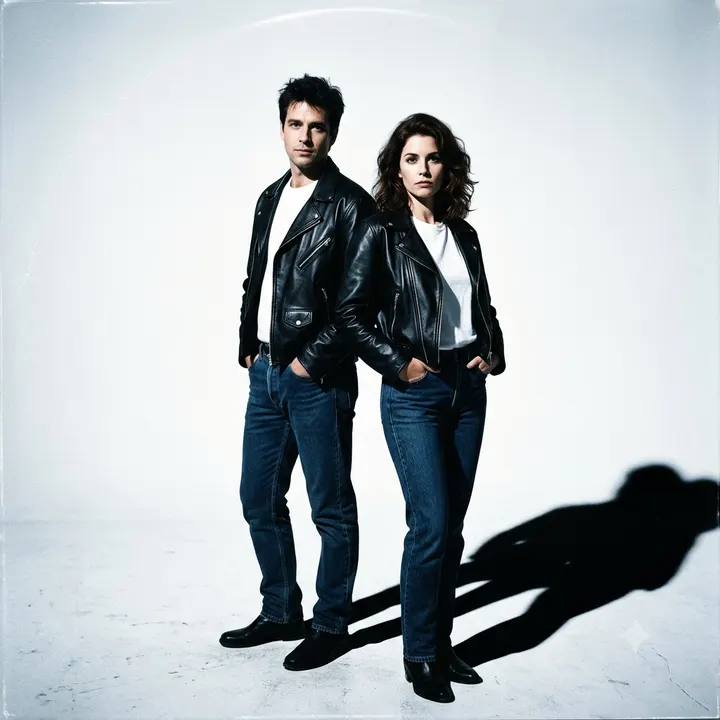 90sGrunge, film camera and mall-portrait looks6 prompts
 Professional HeadshotLinkedIn and CV-ready portraits1 prompt
Helpful guides
- Keep your face the sameWhy AI photo edits change your face, and practical fixes: better source photos, keep-face wording, one change per message and when to start over.
- Fix AI photo problemsFixes for the usual AI photo mistakes: extra fingers, face drift, plastic skin, garbled text, wrong ratio, extra people and orange or blue colour casts.
- Best photo for AI editingWhich photo to upload before an AI edit: light, angle, distance, resolution, filters, glasses and group shots, with a quick checklist table and phone tips.